Physical Computing

Weekly Activity Template

Rita Zhang


Module 2


Activity Research

Across the workshops and activities, we developed potential designs for the enclosure, hardware, and phone interface for our smart humidifier project.

Workshop 1 Geurilla Prototyping I
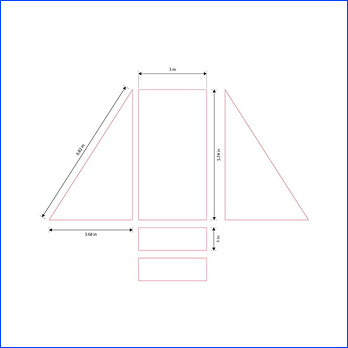
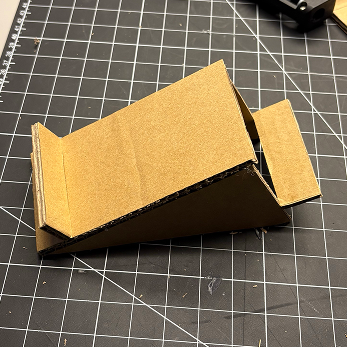
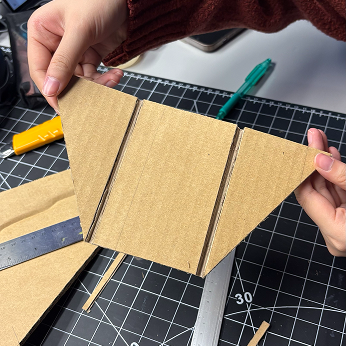
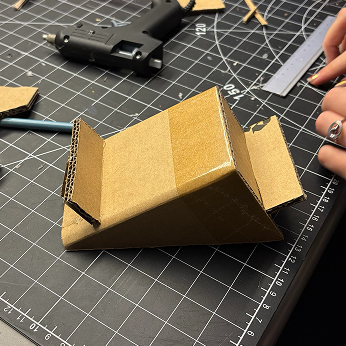
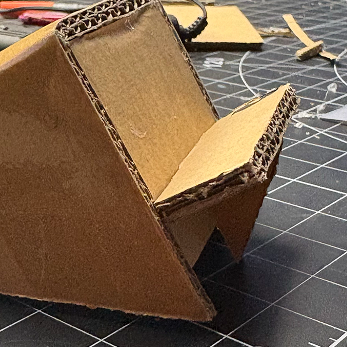
The layout drawing, where we created the layout, measurement, dimensions and shapes for the cardboard phone stand prototype by using Adobe InDesign. This was the finished assembled phone stand, and the first prototype. We started the second prototype to make improvements from the first one. We used the scoring technique to make the folds. Instead of using the glue gun to assemble the bigger pieces, we used the scoring technique and tape to keep it in place, and visually it looked a lot better. We also added triangular support pieces at the bottom of the phone stand to make it more stable and straight.

Workshop 2 Geurilla Prototyping II
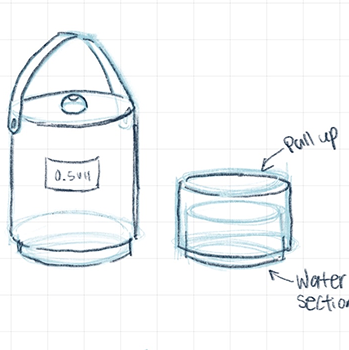
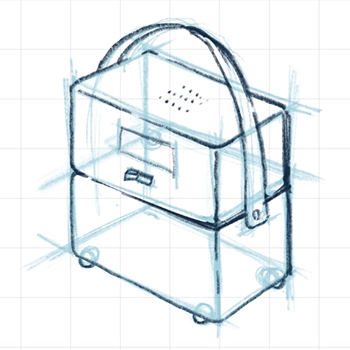
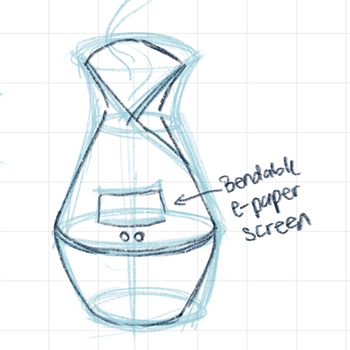
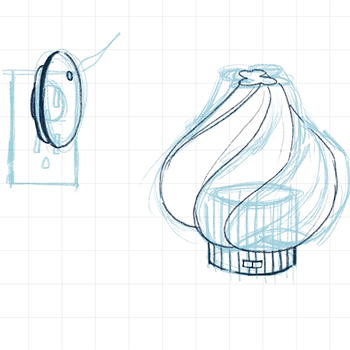
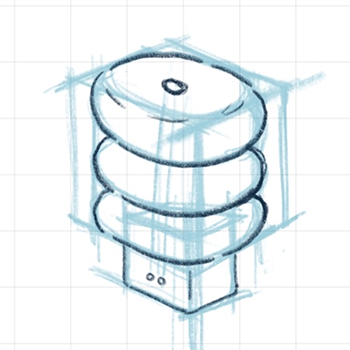
This was the first enclosure sketch we came up with, and a potential idea of how the water container would be seperated from the main body. Second concept idea was more squared incase we wanted to add the screen back. This one looks like a vase to blend in as home decor. One idea was a mini version by using the outlet to power it, versus the other one was more complex in shape. I played around with the form and creativity. Last one is a mix of simple, blended, and creative.

Activity 1: My Research

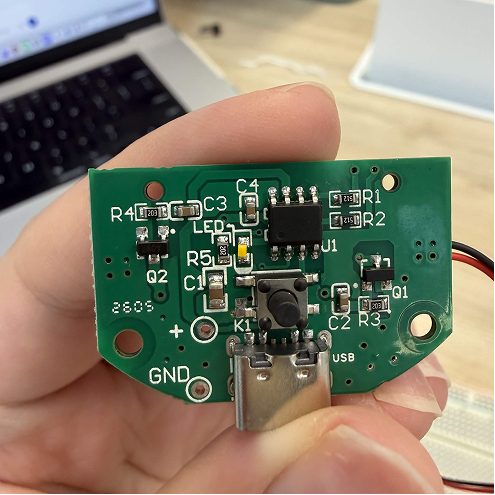
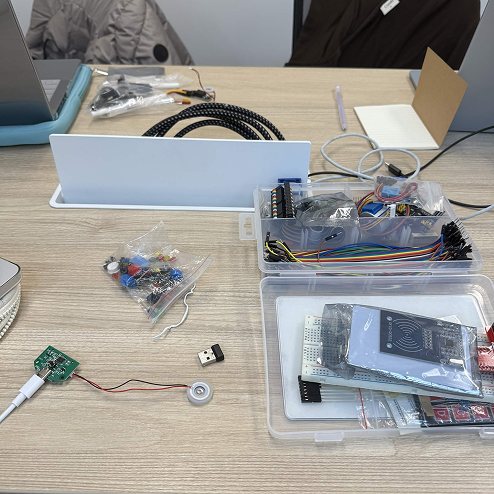
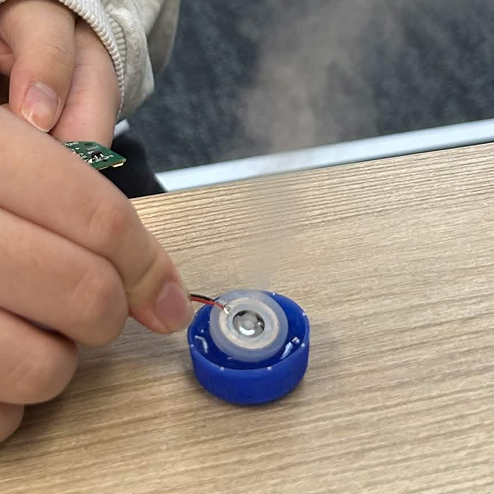
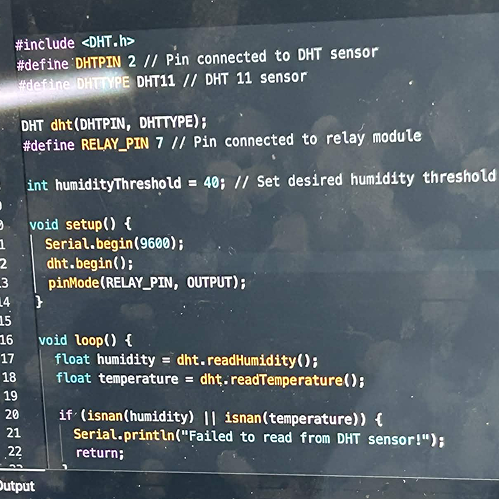
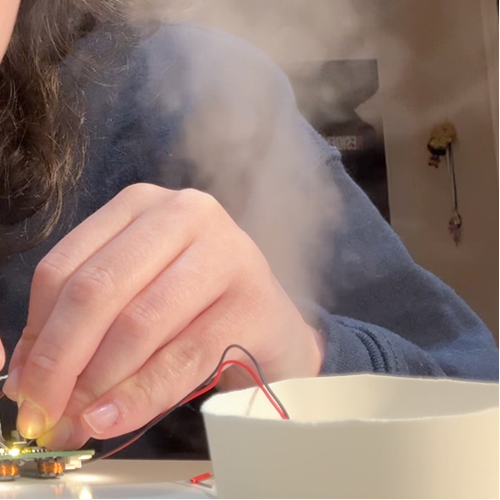
The green mist driver board, which is powered by a USB-C cable, and its small black button, where one click turns it on, and 3 clicks turns it off. The breadboard, jumper wires, and the blue humidifier part came from my own hardware kit. We got just the humidifier working here. The code that reads humidity and temperature from the sensor. Also the working code to get the automated function to work. We got the automated humidifier working here.

Activity 2: My Research

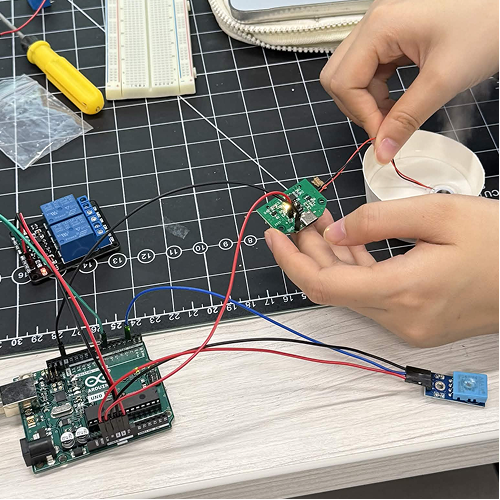
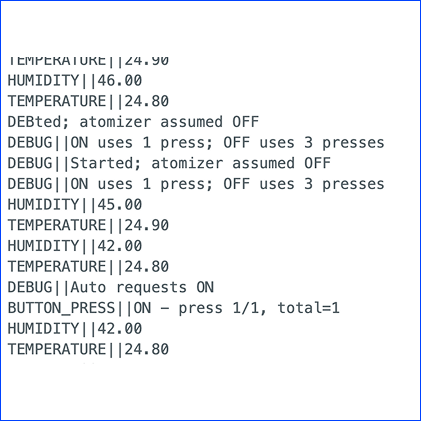
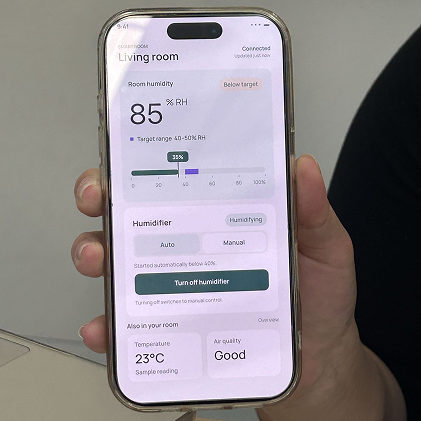
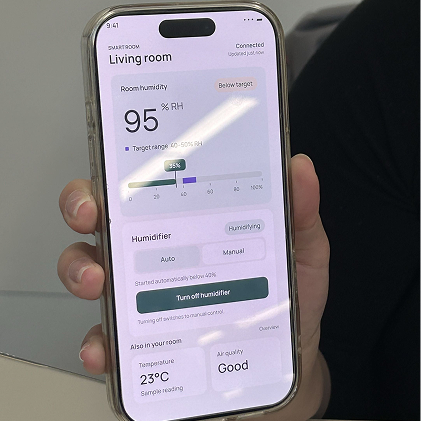
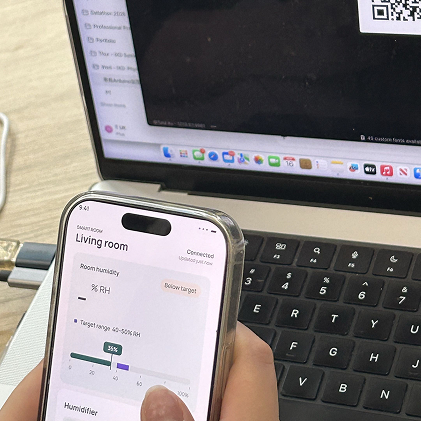
The Arduino Uno, relay, and breadboard wired together. The serial output, which shows the readings it sends, along with the messages it logs. The phone interface when the humidity is lower. The phone interface when the humidity is higher. This is the phone interface connected from protopie.

Project 2


Project 2 Prototype

Working prototype of the manual and automated humidifier.
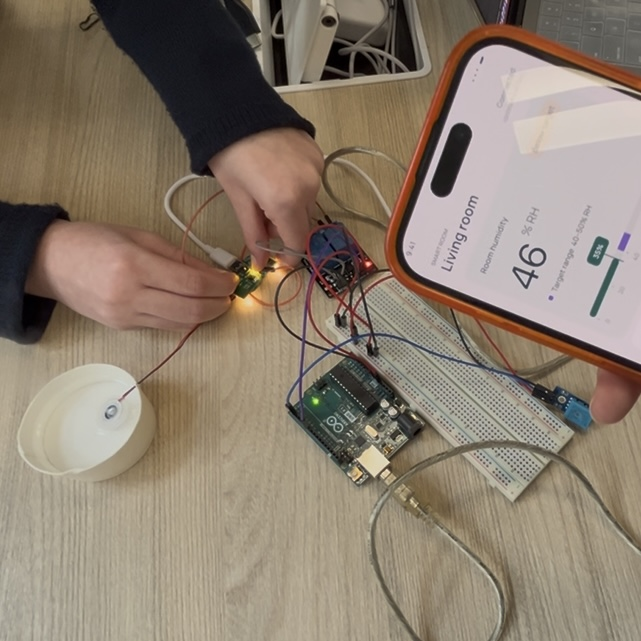
This is the final humidifier prototype. On the phone interface you can switch to automatic or manual, if it's automatic it will turn the humidifier on and off based on the humidity readings, and if it's manual you can turn it on and off just by clicking the button on the phone.
×

Powered by w3.css